01
It audits what you already have
Once connected, it reads your inbox and your existing labels to see how your mail is actually flowing today — not how a productivity guru thinks it should.
Free AI agent · Gmail
The Gmail Triage Agent turns an overwhelming inbox into a calm, workable system — without forcing you into someone else's setup, and without deleting a single email before you're ready.
It runs on a schedule you choose. You stop sorting.
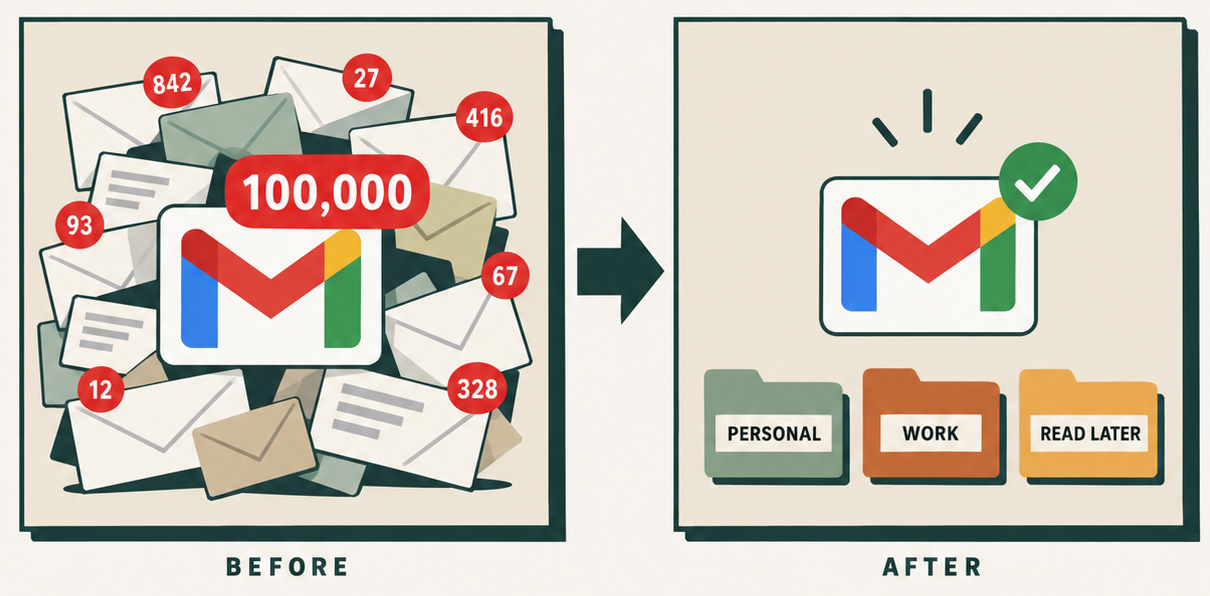
The real problem
Most of what's sitting in there isn't work. It's mail you haven't decided about yet: the receipt you might need, the newsletter you meant to read, the client email that actually needs a reply, all stacked in the same pile with the same visual weight.
So you scan the whole stack again every morning, make the same micro-decisions you made yesterday, and close the tab having answered almost nothing.
The fix isn't a stricter system you have to maintain. It's something that makes those decisions with you, every day, without being asked.
How it starts
01
Once connected, it reads your inbox and your existing labels to see how your mail is actually flowing today — not how a productivity guru thinks it should.
02
A few questions about your business, your week, and what you actually need to see. Your answers shape the system instead of you bending to someone else's.
03
You get a personalized setup to approve, adjust, or reject. Sitting on thousands of old emails? It can move them into a temporary backlog so you start fresh without losing anything.
After you approve the plan
Why it actually works
A rule that files anything with "invoice" in the subject line will always be a blunt instrument. This reads the sender, the subject, the message content, the conversation it belongs to, and the preferences you gave it — then decides where the email goes.
When it gets one wrong, you move it. That correction becomes a precedent, and the workflow gets more matched to you the longer you use it.
You stay in control
Deleted
Nothing is deleted. Old mail gets moved, not destroyed.
Unsubscribed
It flags the noise. You decide what you actually leave.
Sent
It sorts your mail. It does not write or send on your behalf.
Changed
Every structural change is proposed first, then waits for your yes.
AI handles the repetitive sorting. The judgment calls stay yours.
Free download
What you get
The result: fewer emails demanding your attention, a clear place for everything, and an inbox that helps you see what actually needs you.
Before you hand it your inbox
No. Nothing is deleted, unsubscribed from, sent, or changed without your approval. If you have a huge backlog, it moves those messages into a temporary backlog label so your inbox is clear and every email is still there.
That's the normal starting point, not a disqualifier. The backlog move exists exactly so you can start fresh today without spending a weekend triaging five years of mail first.
No. It audits the labels you already use and builds around them. If you have a filing habit that works, it keeps it. The recommendation is a starting point you edit, not a template you're stuck with.
Filters match keywords and senders. This sorts by meaning — it reads the sender, subject, message content, conversation context, and your stated preferences to decide where an email belongs, and it learns from your corrections.
You install it into Claude or ChatGPT and connect it to your Gmail. There's no new app to learn and nothing to host — it runs inside the assistant you're already paying for.
It's free. Enter your name and email and I'll send you the agent along with the setup instructions.
Connect it once, approve the plan, and let it run. You open your inbox to what actually needs you.
Get the agent →Free · Nothing deleted without your approval